Prestashop
Ealyx provides a ready-to-install extension for Prestashop stores.
Before integrating
Requirements
This plugin was designed to work with a compatible version of Prestashop.
Currently, it supports versions from 1.7 to 8.x.
It is recommended to work with PHP version 7.3 or higher, although using the latest versions is the best option to ensure compatibility.
Plugin Installation
Here’s how to install the Ealyx plugin step by step.
Before Installation
Request the Plugin
Make sure you have the .zip file of the Ealyx Prestashop plugin for your shop.
If you do not have one, please contact your Ealyx account manager.
If you have not been assigned an account manager, request the plugin at:
Request Credentials
Ask the onboarding manager for test credentials or production credentials if all testing has been completed.
Start Installation
Upload the Plugin
To install the Ealyx plugin, follow this path:
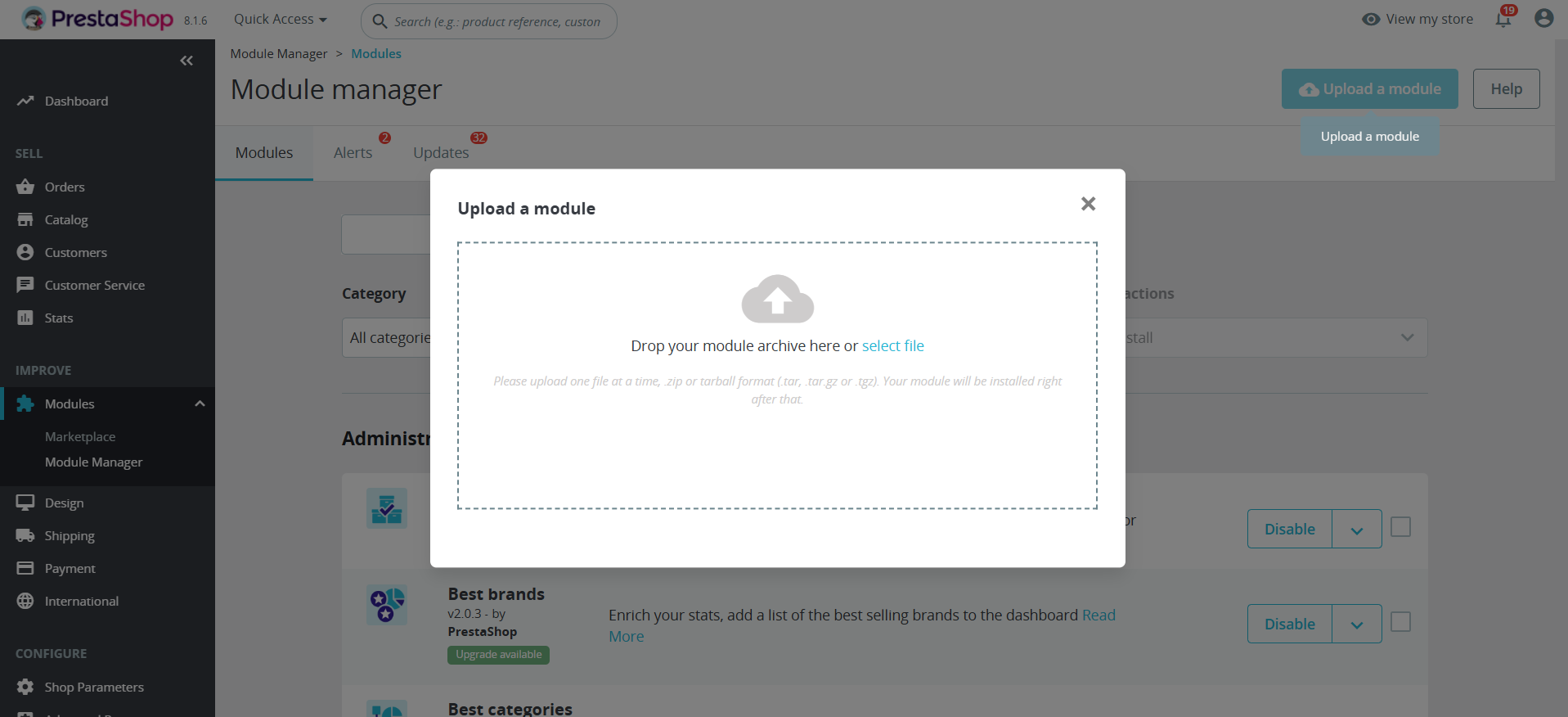
Then click the Upload a module button (top right) and upload the .zip file provided.
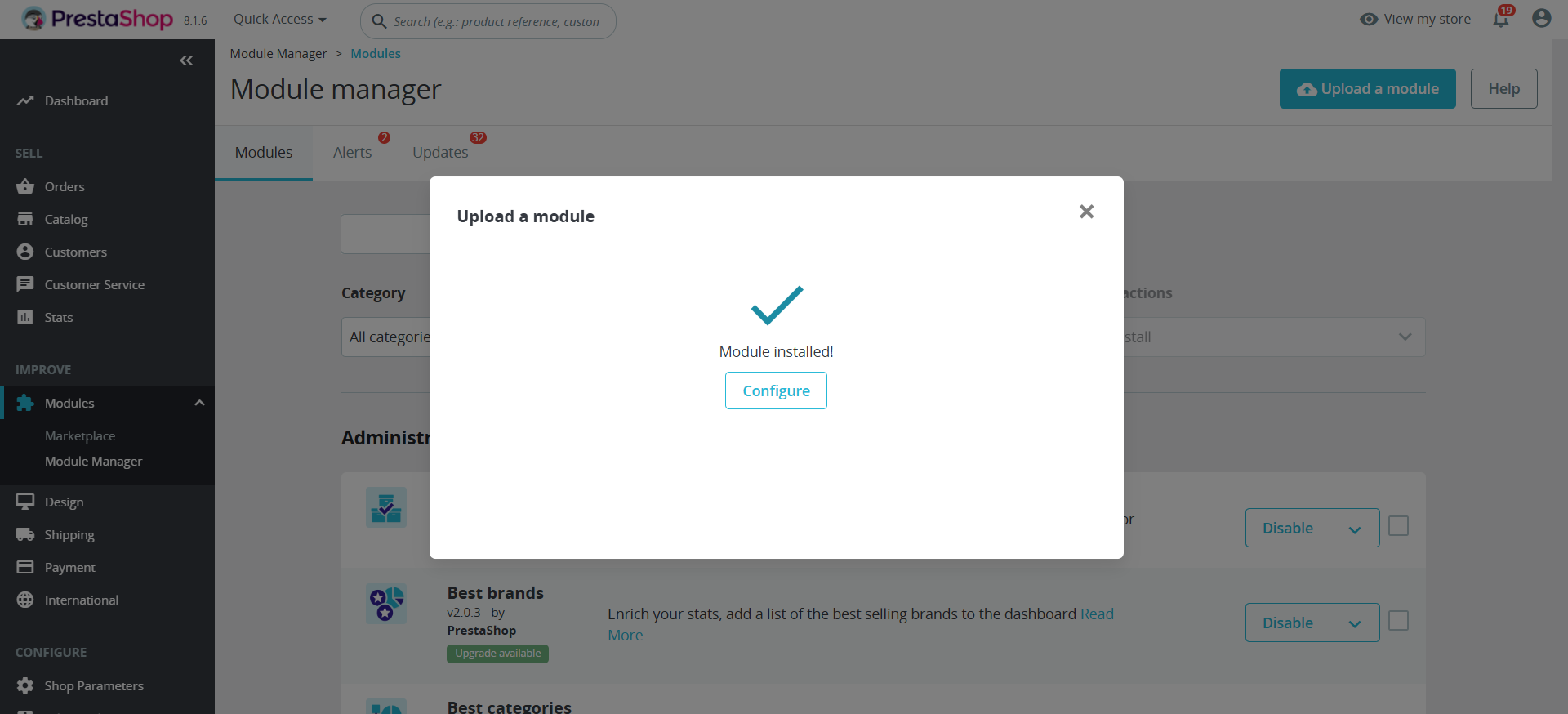
Ensure the module is installed correctly.
Enter Your Credentials
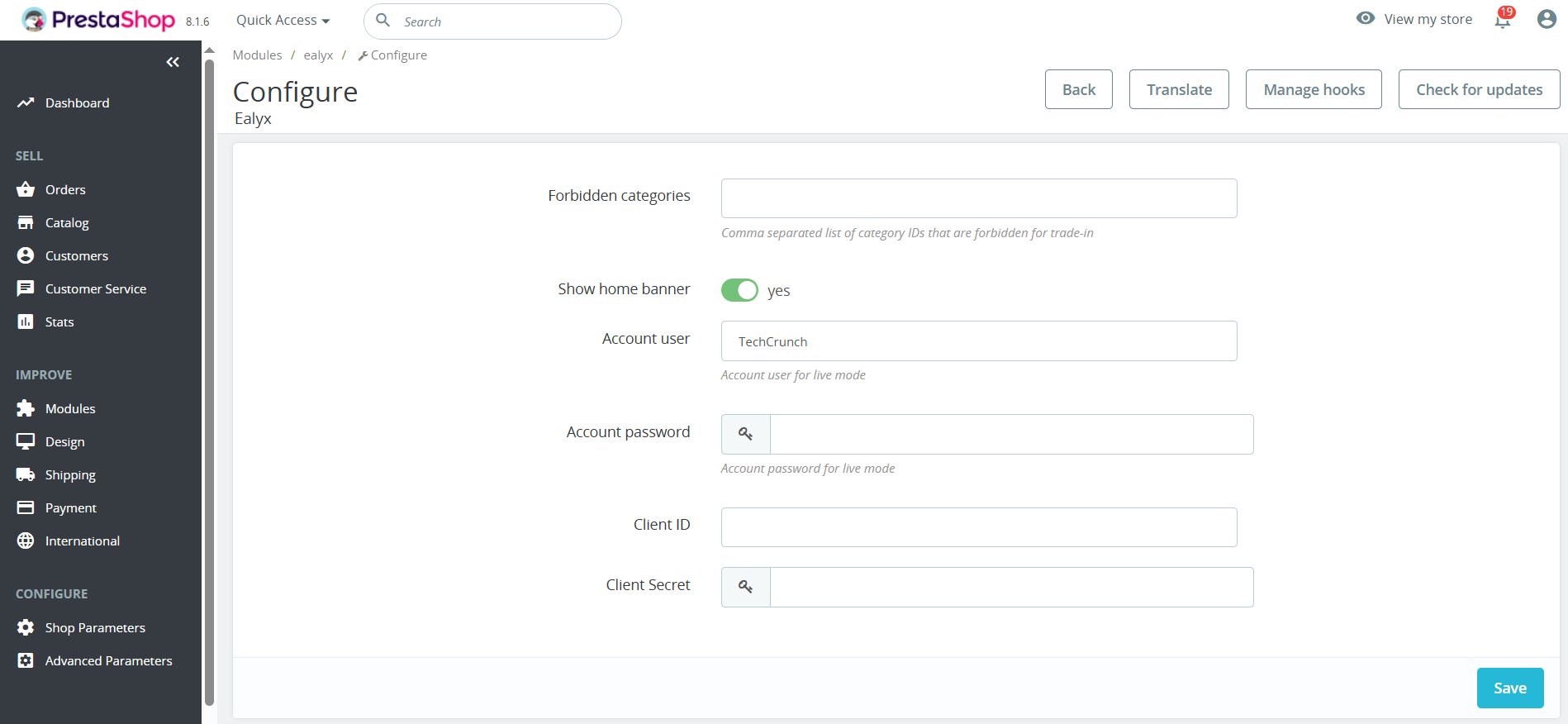
After uploading the module, go to the Configuration page and click *Save** after entering your credentials.
Plugin Configuration
Categories Configuration
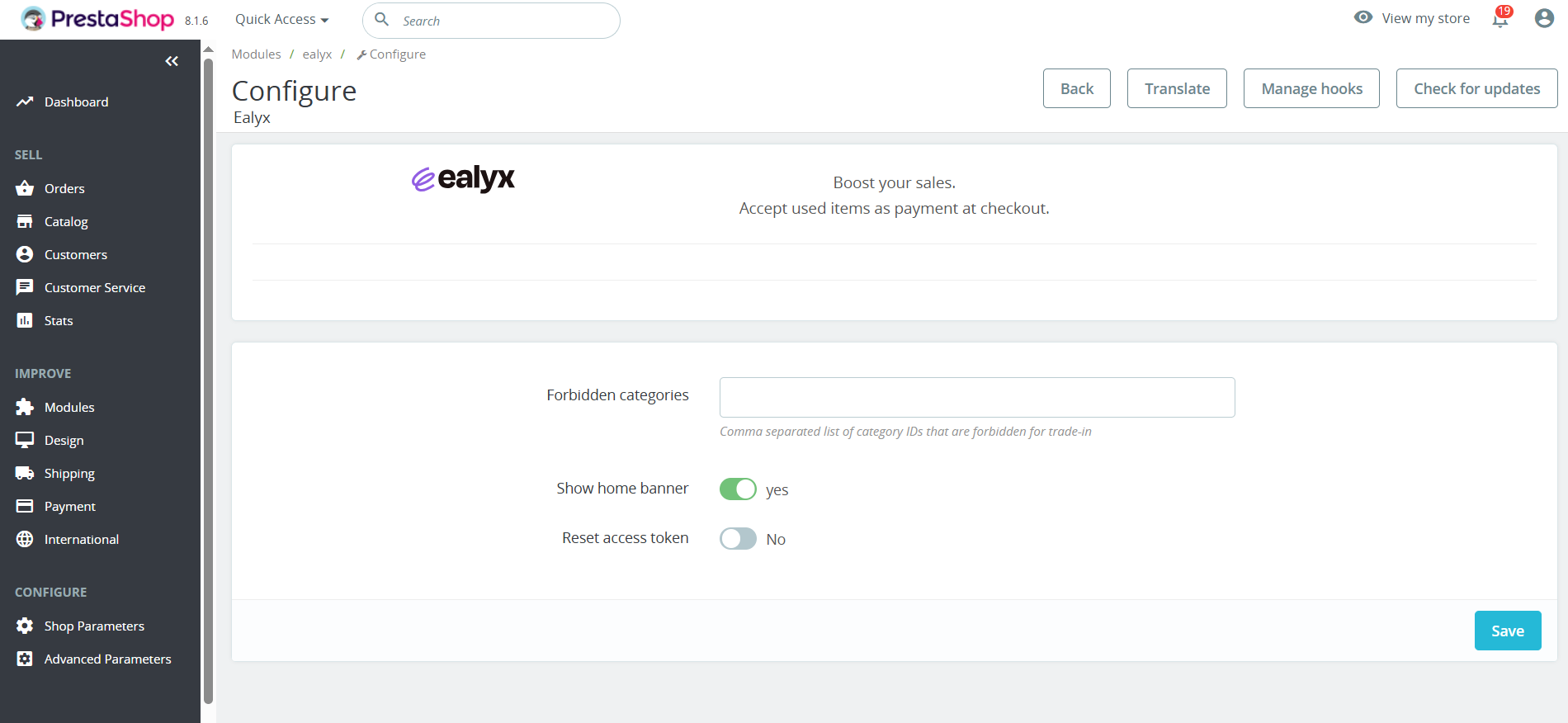
If there is a category where you do not want the Ealyx plugin to be displayed (previously agreed with Ealyx),
add it in the Forbidden categories textbox.
Hooks Configuration
You don’t need to do anything — Ealyx has already placed the hooks to maximise your sales.
Our solution is integrated into four main steps in the purchasing process:
- 🏠 On Home page
- 🛍️ On Product page
- 🛒 On Cart page
- 💳 At Checkout page
Payment Configuration
To configure Ealyx Pay, follow this path:
Then verify that the following Preferences are correct according to your signed contract.
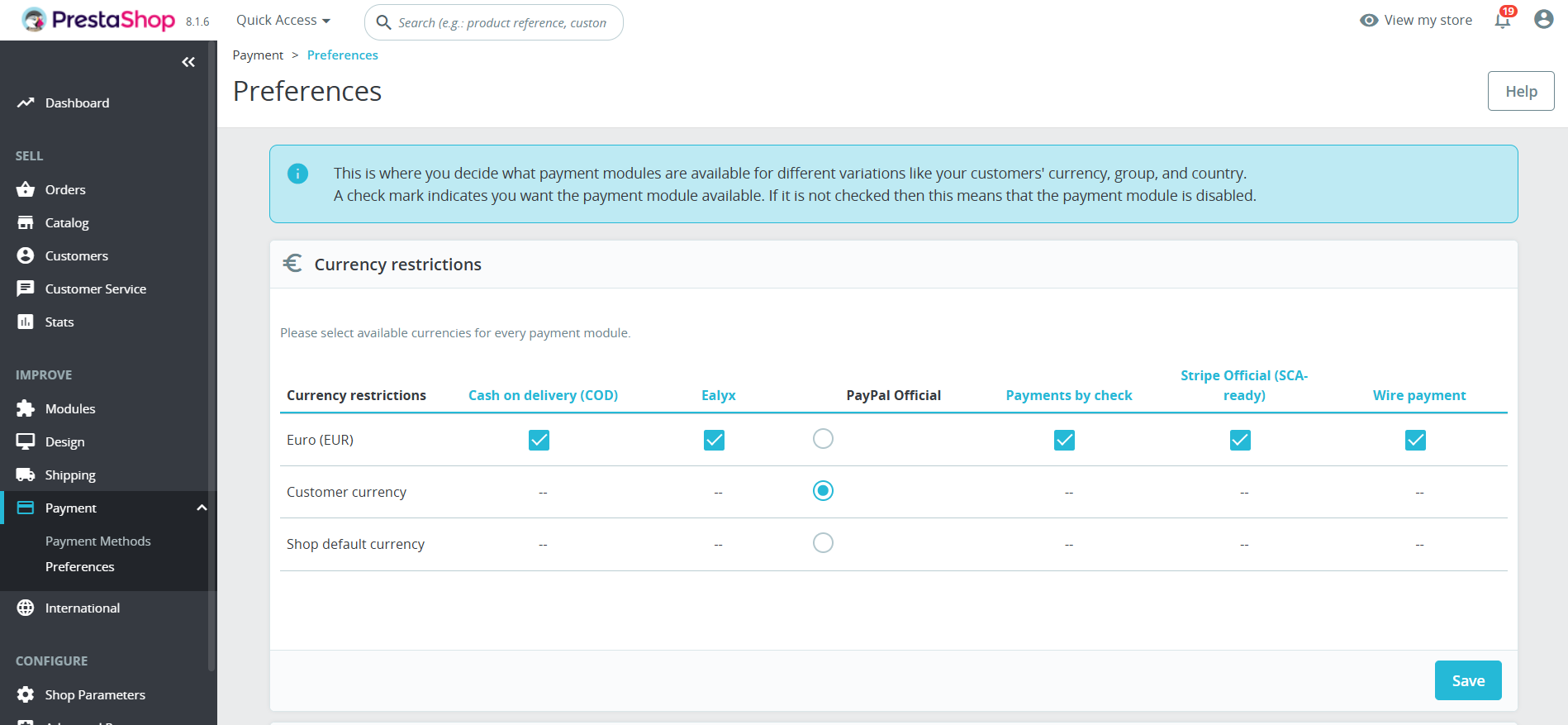
Currency Restrictions
Select the currencies in which your customers will be able to pay with Ealyx Pay.
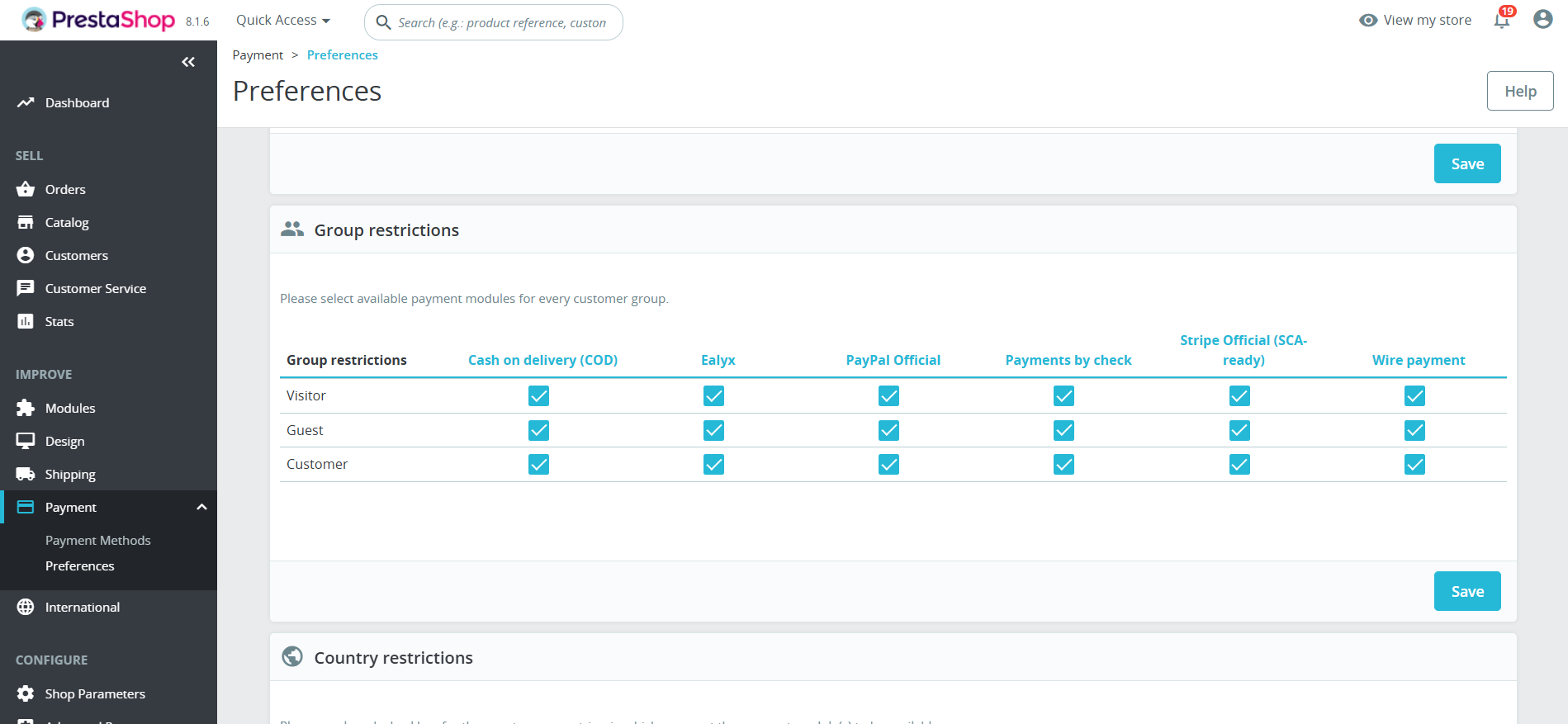
Restrictions by Group
Make sure that all groups are selected.
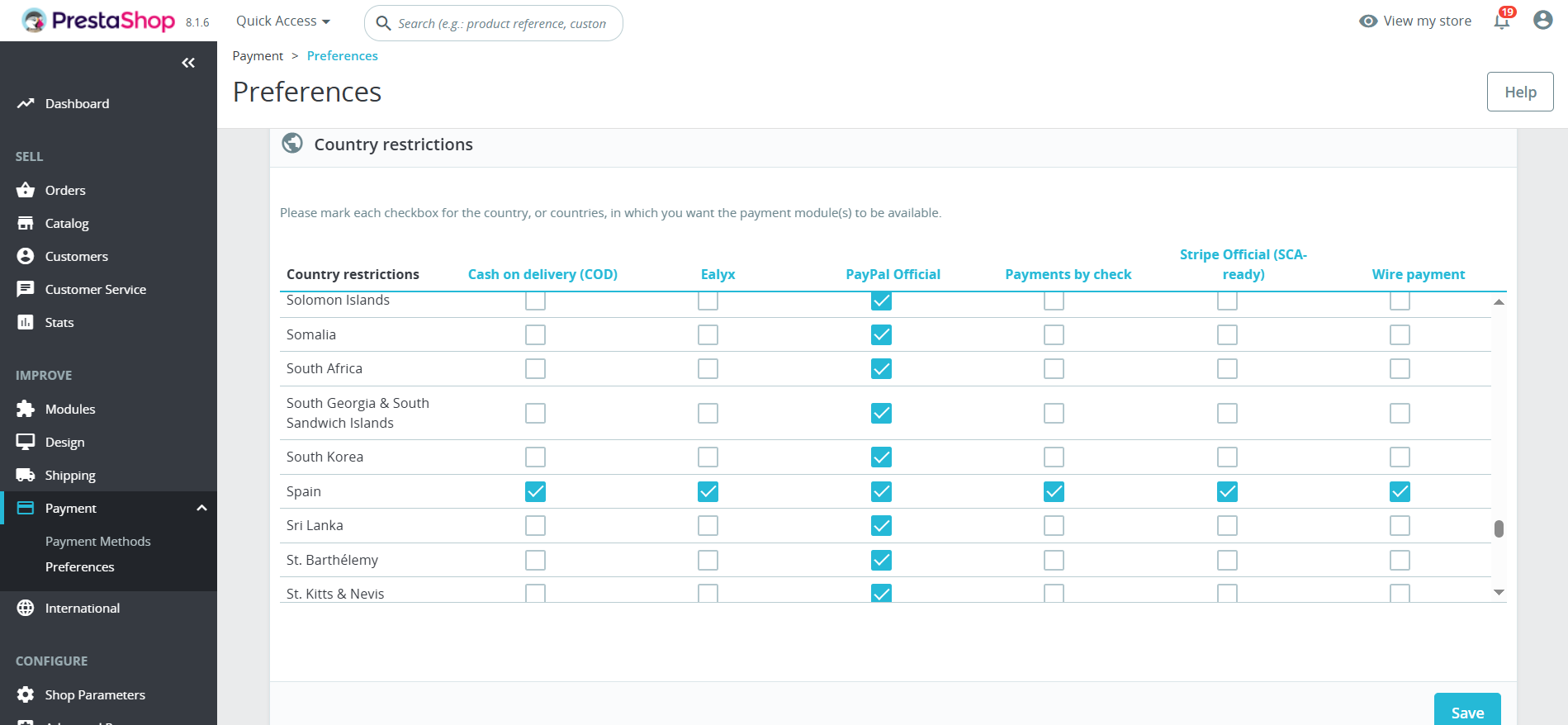
Restrictions by Country
Select the countries in which your customers will be able to pay with Ealyx Pay.
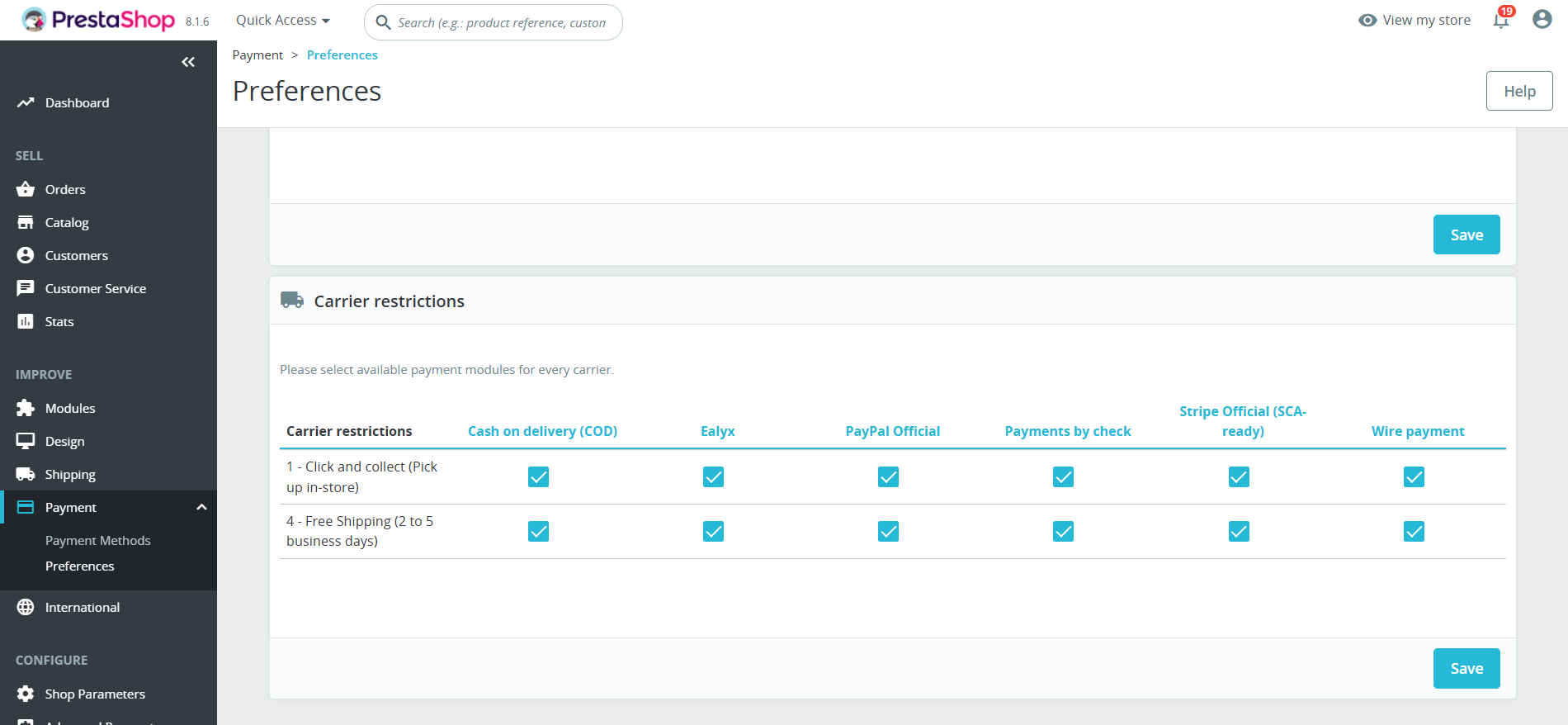
Restrictions by Carrier
Make sure that all carriers are selected.
✅ Your Ealyx plugin is now installed and ready to boost your store’s performance!