1. Discovery
Throughout the purchasing journey, consumers come across the Ealyx trade-in widget at four key steps (Home Page, Product Page, Cart Page and Checkout Page), enabling them to initiate the valuation process at different stages of the purchase flow.
Following are reference images for positioning the widget, illustrating its display in a shop to encourage the consumer to make a Trade-in.
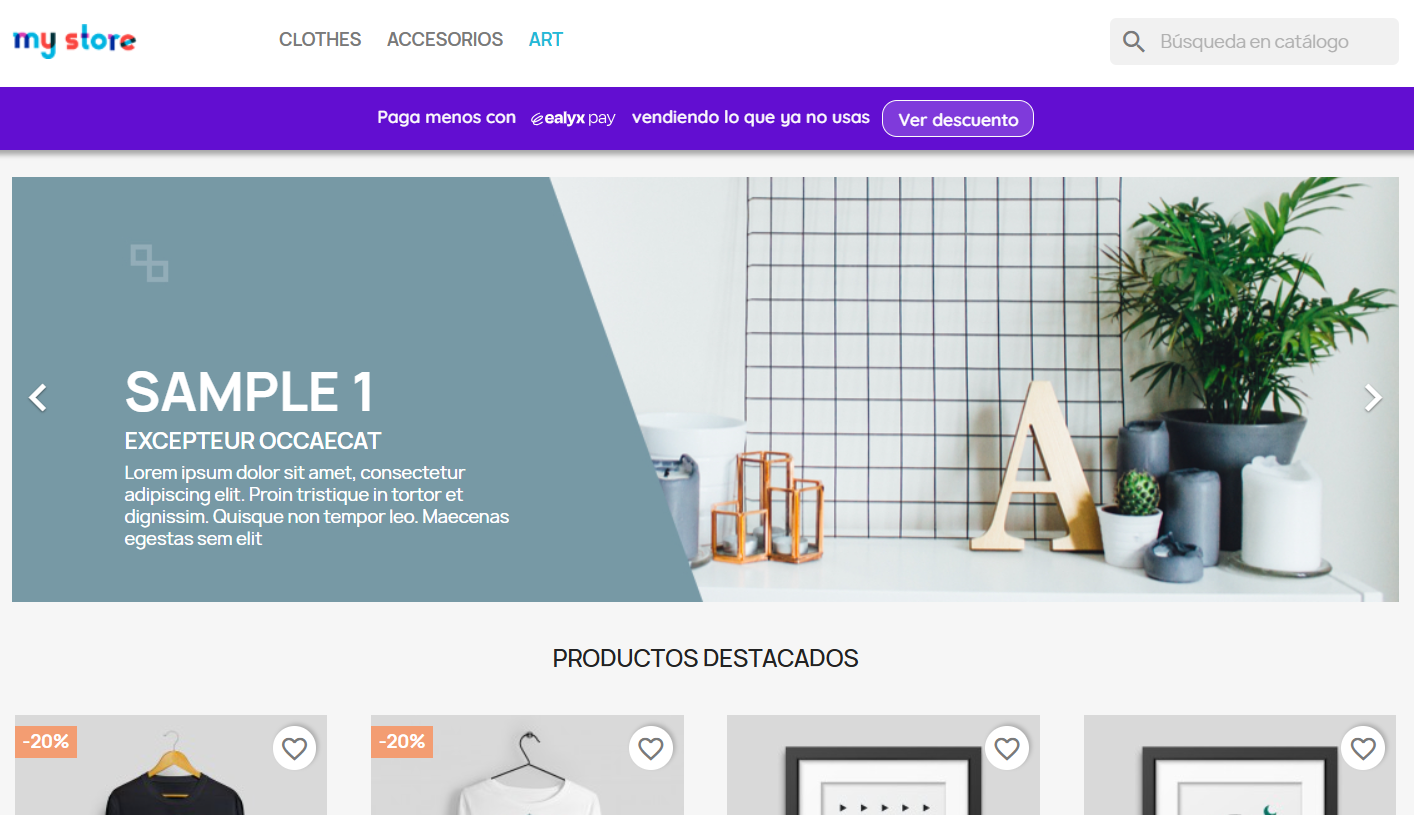
Home Page
Our advice is to place the Ealyx teaser Banner type at the top of the page.
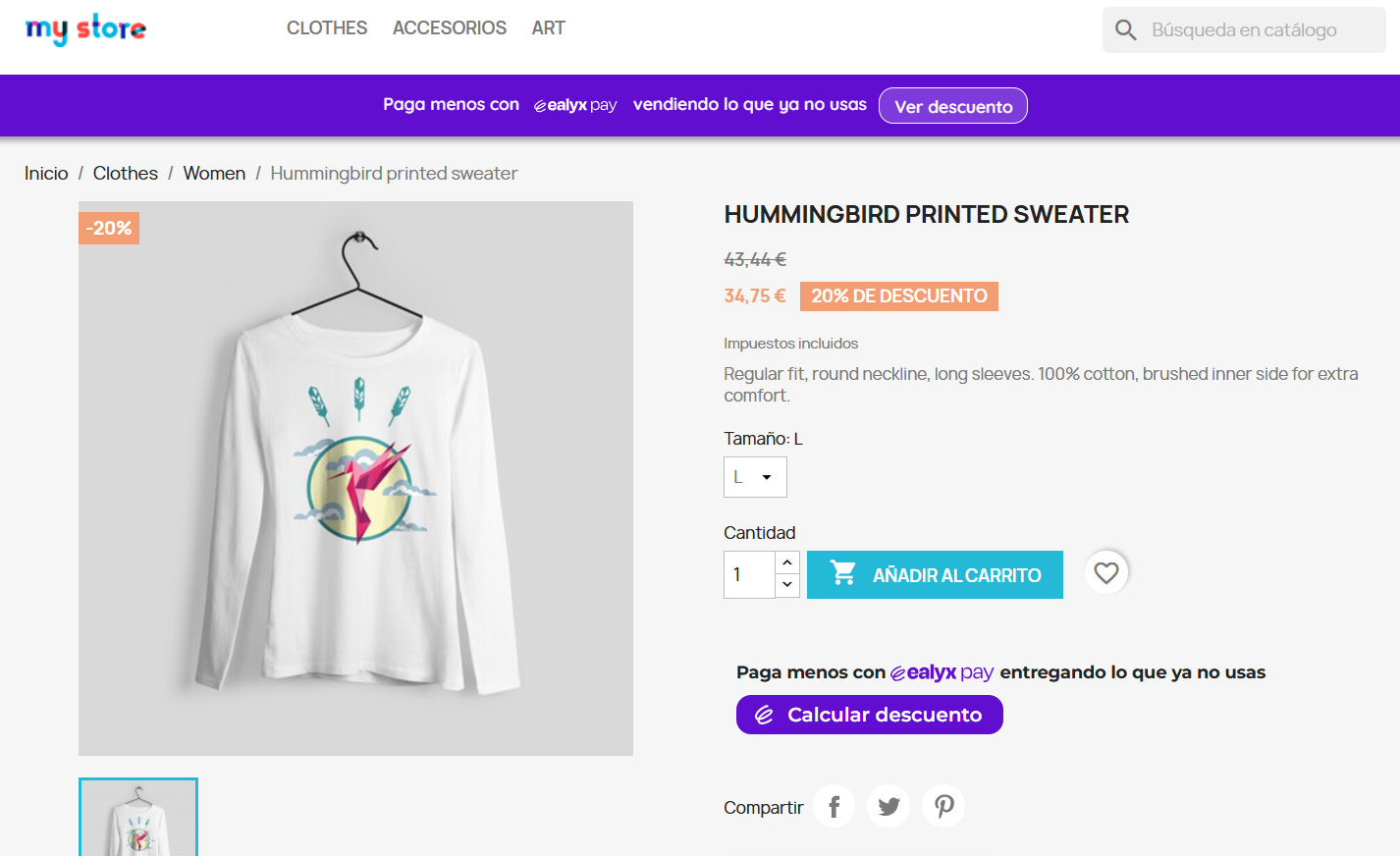
Product Page
Our advice is to place the Ealyx teaser Banner type at the top of the page and Widget type below the "Add to cart" button.
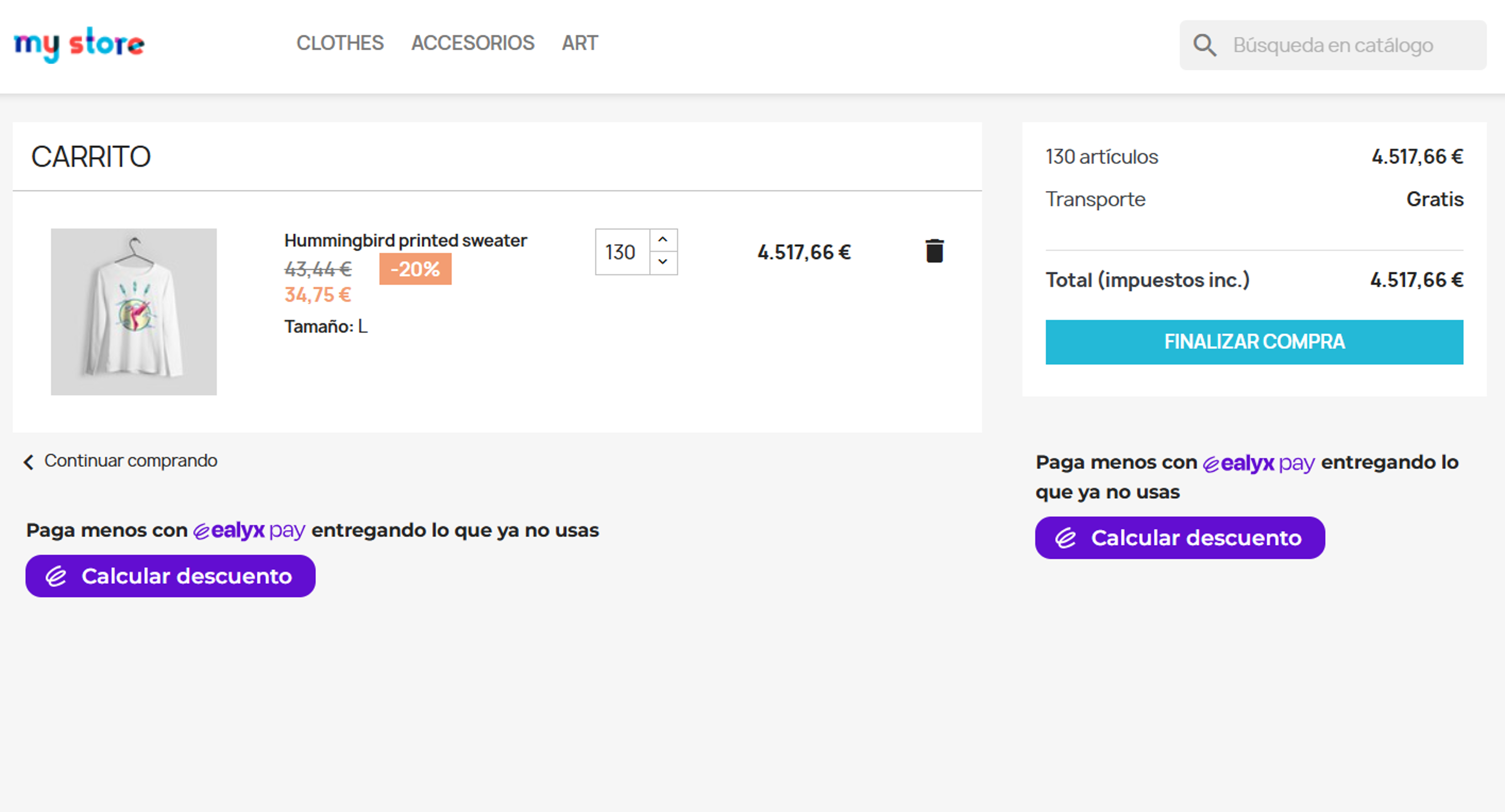
Cart Page
Our advice is to place the Ealyx teaser Product type below "Product cart" and Cart Summary type inside the "Summary" between the "Total" and "Finish purchase / Go to checkout" button.
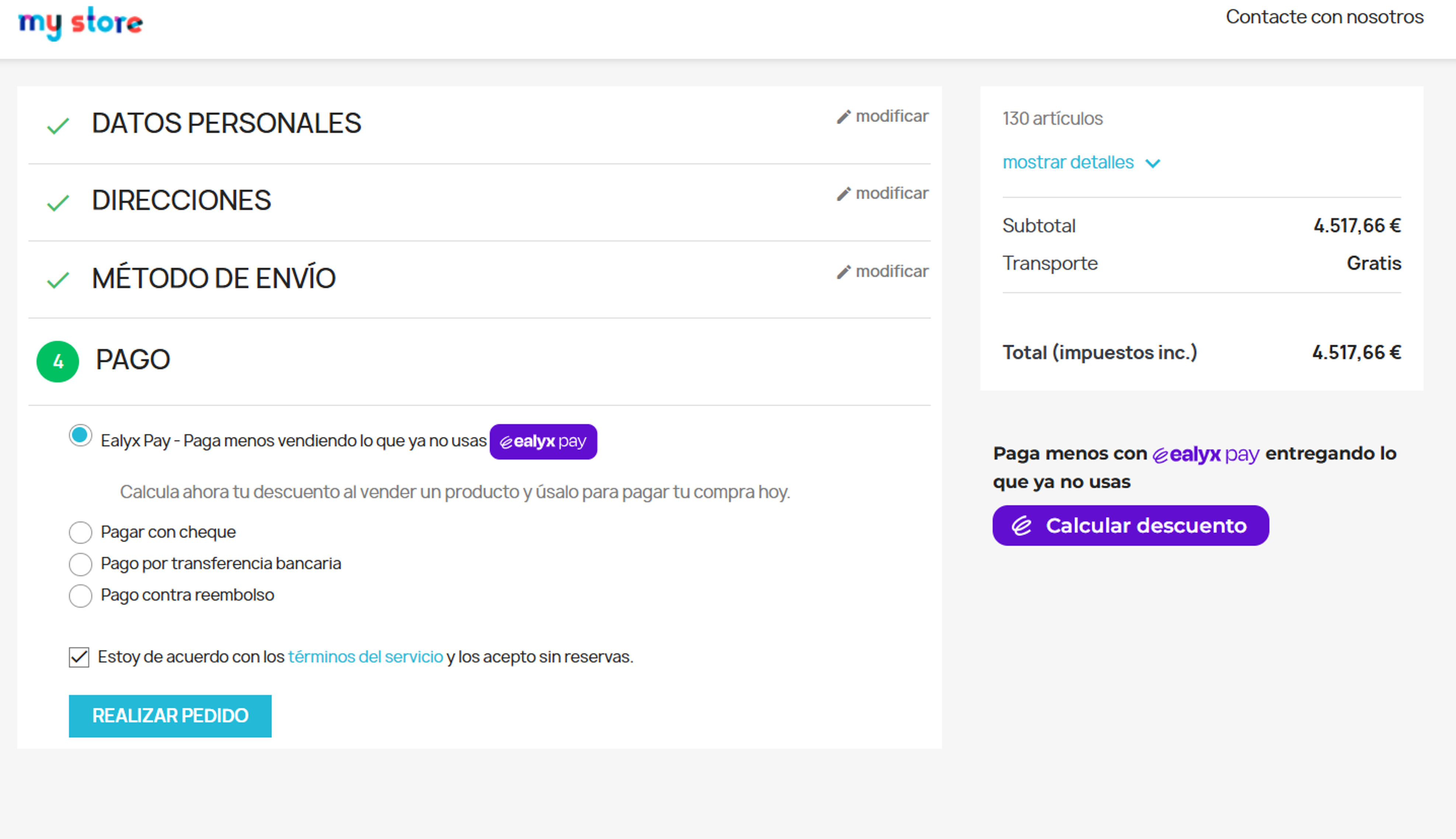
Checkout Page
Our advice is to place the Ealyx teaser Cart Summary type inside the "Summary" between the "Total" and "Finish purchase / Go to checkout" button.
Make sure that Ealyx Pay is present at checkout also as a payment method and is displayed next to the other payment methods.